1. Connect once
In Copilot Studio, add Listening Post as an MCP server under Tools. Every agent reuses the same connection.

110 agents to build in Copilot Studio. Each one answers from Listening Post, within the permissions of the person asking, and none of them write to your systems.
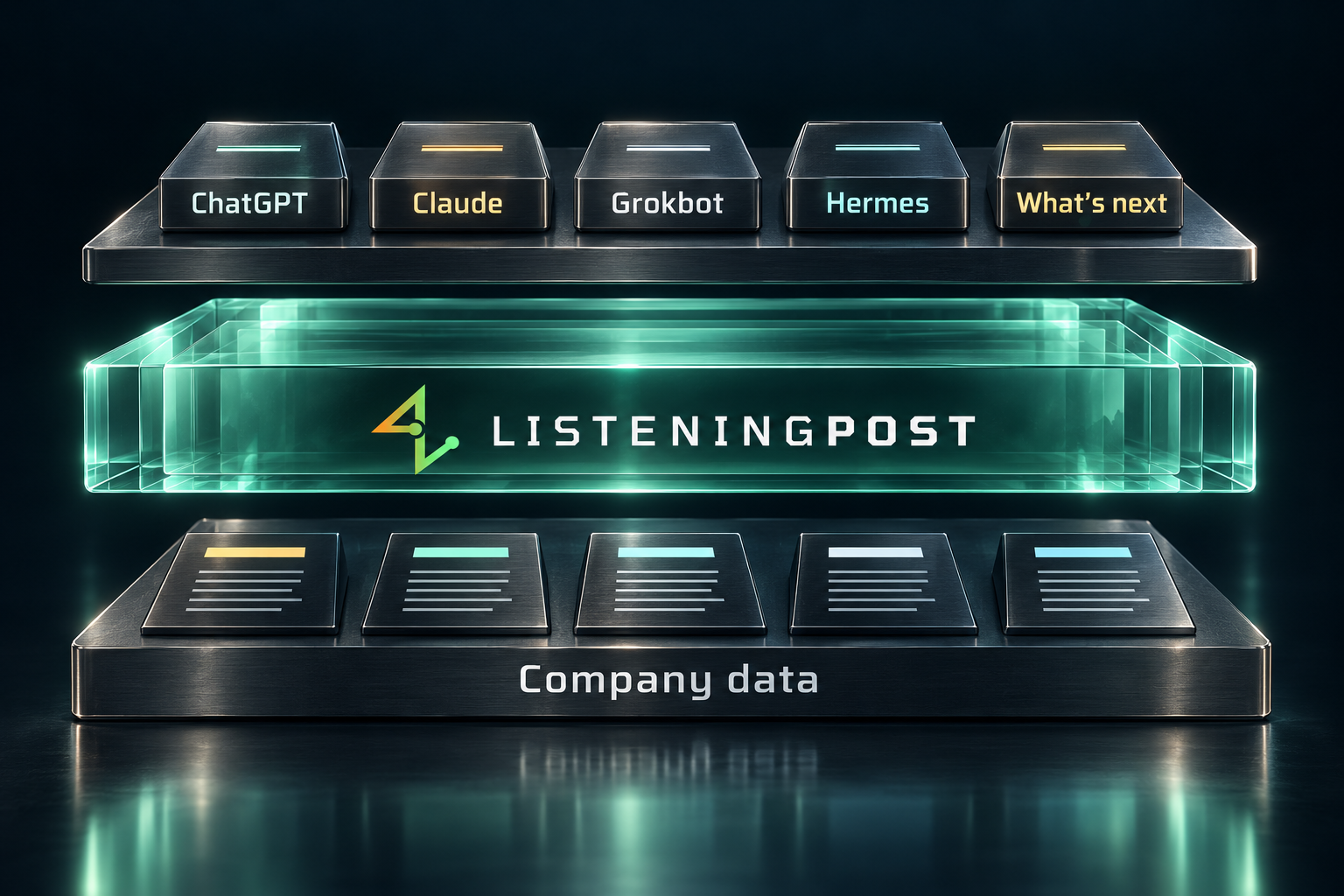
In Copilot Studio, add Listening Post as an MCP server under Tools. Every agent reuses the same connection.
Create a new agent with the name from its page, then paste in its instructions and conversation starters.
Try one starter and check that the answer cites Listening Post.
Copilot Studio calls tools from Microsoft’s cloud, so your Listening Post endpoint must be reachable from there.
What changed across every system last week, written for one executive and scoped to what they can see.
Pulls the metrics, the commentary and the prior deck into a draft, with each number traced to its source.
Where a decision was made, who made it, and the reasoning behind it.
Promises made in writing across email, chat and contracts, with dates and owners.
Answers policy questions from internal documents, quoting the paragraph and naming the file.
What shipped, what slipped and what it cost, drawn from your systems.
Where discussion is concentrated this month, showing bottlenecks before they are escalated.
The last twelve months of a function's history, permission-scoped, for someone who just joined.
Two teams solving the same problem in different systems.
Every thread across systems where someone is blocked on this person.
One customer in one view: email and Teams threads, the proposal, shared channels, open issues, invoices and payment history.
What they pay, what was promised in writing, what is unresolved, what changed since last year.
What we have charged for this shape of deal before, with the evidence.
Finds the closest prior proposal and adapts it to the new deal.
Everywhere a competitor came up, across email, chat and notes, with context.
Deals with no recent activity, unanswered questions, or unresolved commitments.
Who at the account engages, based on correspondence.
The full record of what happened on a lost deal, from the source systems.
Who at our company already knows someone at the target account.
The email after the meeting, grounded in the actual thread and prior commitments.
What was quoted against what was billed.
What a rep needs when an account changes hands.
Customers with evidence of being happy: paid on time, praised in writing, low support load.
How we answered this exact question before, and whether it is still true.
Payments, support volume, sentiment in shared channels, open commitments, in one view.
What happened, in order, across every system, for the call you are about to take.
Customer context for the agent before they answer a ticket.
The same complaint arriving from different customers in different systems.
Where each new customer stands against what was promised.
Silence, unpaid invoices, dropped engagement, unresolved complaints.
The quarter's results for one account, with the evidence.
Questions asked repeatedly that no document answers.
Requests mapped to the accounts and revenue behind them.
A reply grounded in internal material, with sources the agent names.
Starts at the invoice, finds the email and chat where it stalled, shows the timeline.
What we pay each vendor against what the contract says and what was negotiated.
The same vendor or bill paid twice under different names.
Billed amounts against agreed terms.
Open items, who owns each, and where the supporting document lives.
Unusual charges with the conversation that explains them.
Every recurring payment and when it renews, built from invoices and contracts.
Who pays late, how late, and what usually unblocks them.
The numbers plus the reasons, drawn from the discussions behind them.
What moved a line item this quarter.
Which incoming bills are new, duplicates, or disputed.
Agreements with payment or delivery terms that differ from the norm.
Assembles the supporting documents for a specific request.
Answers from the authoritative version and flags duplicate copies.
Commits, pull requests and announcements turned into something the rest of the company can read.
The outage reconstructed across code, chat and calendars, in order.
Who knows this part of the system, based on who has worked in it.
Why this code exists, linked to the discussion that produced it.
Customer-readable notes from the actual changes.
Where bugs cluster, and what those areas have in common.
When a dependency last moved, who did it, and what broke.
What to read first in this codebase, and which documents are current.
Why we chose this approach, with the thread that decided it.
What was planned against what the commits say happened.
Customer report to ticket to the change that fixed it.
Who depends on the thing we want to remove.
What is running hot, what changed recently, what to watch.
Where the implementation diverged from what was specified.
Handbook and policy answers, quoted and sourced, with an honest "not covered" when it is not.
Answers a new hire's questions from internal material, scoped to what they may see.
What a leaving employee owned across documents, repos, channels and threads.
What each report has been working on, within the manager's own permissions.
Role context, prior debriefs for the same role, and what the team needs.
Who has done this kind of work, based on the work itself.
Answers from the current policy documents.
People whose work shows up everywhere and in no status report.
Questions being asked that suggest something is not being taught.
What this team owns, drawn from the work it does.
What we committed to, against what is happening in tickets and invoices.
Every agreement containing this term.
Which agreements exist with whom, and which are unsigned.
Renewal, termination and notice dates pulled out of agreements.
Which systems hold which categories of data, drawn from their configuration.
The documents and records a specific control question needs.
Approved departures from policy, and who approved them.
Agreements sent and never returned.
Evidence for a case study: the results, the quotes, the timeline.
How we describe ourselves across documents, decks and the site.
What we said we would do, what we did, what landed.
What competitors are claiming, gathered from what our own people report.
Questions prospects and customers ask that no content answers yet.
Who we met, what was said, what was promised.
Written praise from customers, with the source, ready for a permission request.
Public claims against internal reality.
Who can see what, per system, ready for a quarterly review.
The applications in use against the invoices being paid.
Software in use that has not been approved or purchased.
The steps for a recurring operation, drawn from how it was done last time.
Drafts answers from past responses, with the evidence behind each.
Every access to revoke for a departing person, listed by system.
Duplicates, near-duplicates and stale documents, with the current one identified.
Where the calendar is consuming the most time and what it produces.
Documents shared more widely than they should be.
Outside parties with access, and to what.
Keys and passwords pasted into chat or documents.
The material relevant to an investigation, gathered once, with permissions preserved.
Who has integrations or access into our systems.
Where what we do and what we wrote down have drifted apart.
What mattered in these channels, with the outside context Copilot cannot see.
The Outlook thread, plus the invoices, tickets and commits it refers to.
Which sites and libraries hold duplicates, stale content or over-shared files.
Personal OneDrive files that other people keep asking for and should be shared properly.
What this week's meetings are for, and which have no preparation behind them.
Planner and To Do status rolled up into who is committed to what.
Which spreadsheet is the current one, and where the copies live.
OneNote and Loop pages that already answer the question being asked.